GTA 6 best settings: controller, HDR, driving camera and subtitles
There is little to tune for graphics on console, but a handful of options change how GTA 6 looks and feels. Here is what launch guides agree on, and where they disagree.

The best GTA 6 settings are few: calibrate HDR, set motion blur to 0, turn camera shake off, keep the aim assists on and switch subtitles on. There is nothing to choose between performance and quality, because GTA 6 runs at a locked 30 fps on every console. The advice below comes from launch guides by Dexerto, KeenGamer, TechWiser, OutputLag, ActuGaming and Gameblog (November 18-22, 2026). Open the menu with Pause, then Settings, and switch tabs with L1/R1 (LB/RB).
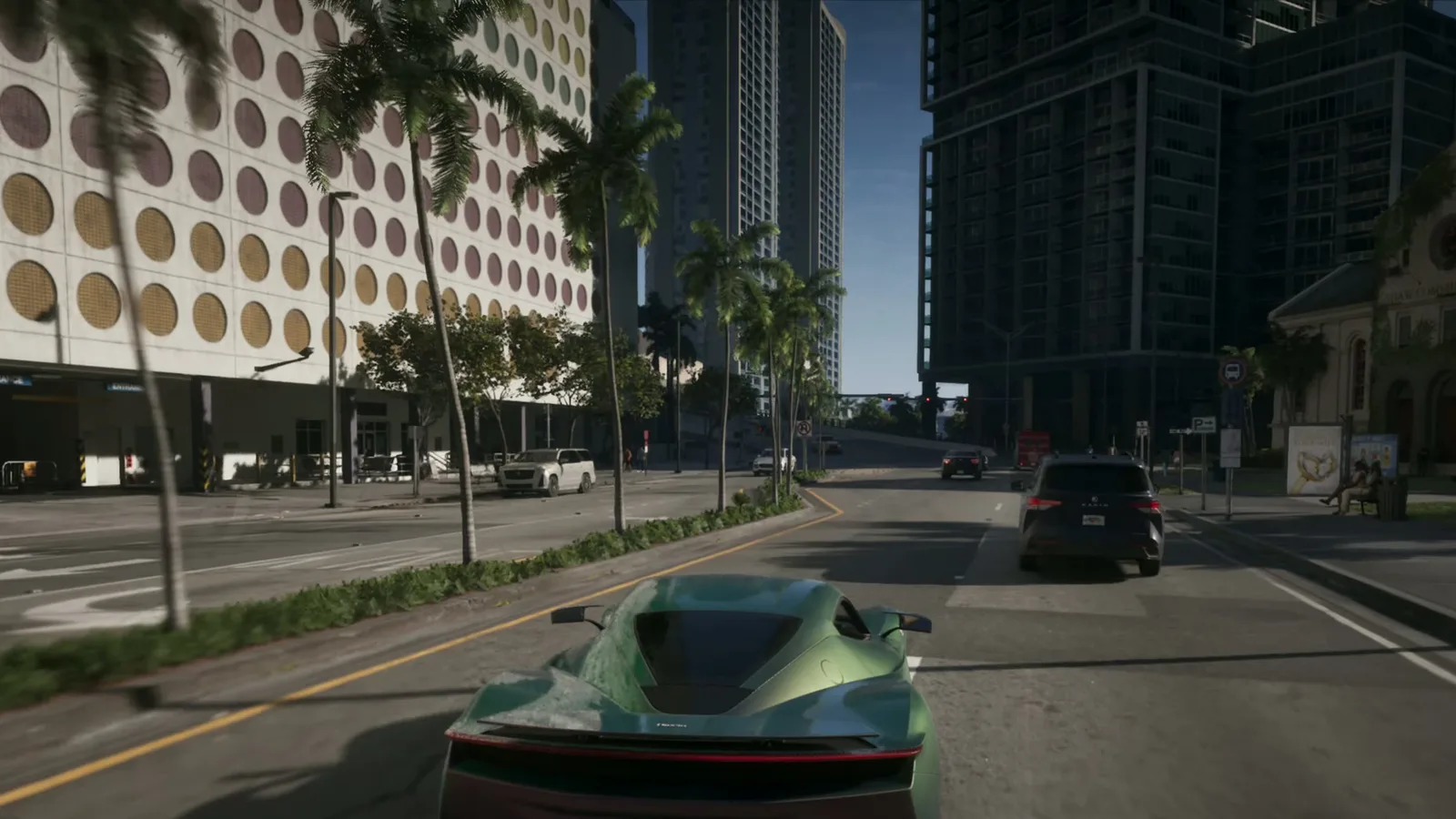
The 60 fps myth
Rockstar set a 30 fps target for current consoles on November 10, and PS5 Pro is no exception. Guides confirm there is no performance or quality mode in the menu, and TV or console options such as VRR and 120 Hz will not give you 60 fps. The PS5 Pro does add PSSR upscaling and ray-traced shadows, applied automatically with no setting. Details: our 30 fps report and the PS5 Pro 60 fps statement.
Display and HDR
- Calibrate HDR on the console first. PS5: Adjust HDR in the video output settings. Xbox: Calibrate HDR for Games.
- Then calibrate in the game, in the Display tab, to match your screen.
- TV: switch to Game Mode and turn motion smoothing off (TruMotion, Motion Plus and similar).
- Motion Blur Strength: 0 for a cleaner image; OutputLag says 1-2 if 30 fps looks choppy.
- Safe Zone: fit it so the minimap and money counter are not cut off.
Controller and aim
| Setting | Suggested start | Notes |
|---|---|---|
| Control scheme | Default | Classic and Left-Handed also exist (Dexerto, OutputLag) |
| Look sensitivity | 7 to 9 | Dexerto 8 horizontal, 7 vertical; OutputLag 9-10 |
| Aim sensitivity | 5 or higher | Dexerto 5; raise if aim feels slow |
| Targeting | Partial | Lock-On snaps to targets, Free Aim removes help (KeenGamer, OutputLag) |
| Shooting Assist, Drive-By Assist, Quick Draw | On | Four guides agree |
| Stick deadzone | 2 to 6 | Dexerto 2, OutputLag 4, Gameblog 6-8: test and keep the lowest with no drift |
PS5 adaptive triggers are a taste call: Dexerto turns them off, Gameblog keeps the resistance on for gentler throttle in town.
Driving camera and assists
- Vehicle camera height: High for a wider view (Dexerto, OutputLag).
- Camera Shake: Off and Camera Bob: 0 if you get motion sick.
- Cinematic crash camera: set it low so it stops cutting into the drive. The kill camera can also be turned down.
- Auto Drive: set it to unrestricted in the accessibility options (OutputLag, Gameblog). On PS5, in a car, hold D-pad down and press Options: it uses the cinematic camera and you can leave it any time.
- Reduced Vehicle Damage is in the same accessibility menu if you hate wrecks.
Subtitles and interface
- Subtitles: switch them on for all dialogue, not mission only. Medium size suits a 40-60 inch TV; add a background if text is hard to read. Voices are English only, see our languages guide.
- Minimap: Dynamic is the usual pick (Dexerto, ActuGaming, KeenGamer); use always on if you get lost.
- Keep GPS route and turn indicators on for the first hours.
Controller buttons are also covered in our first-person trick, which changes the Touch Pad button, and the beginner tips pair well with this page.
MAX WANTED is an independent fan site, not affiliated with Rockstar Games.
FAQ
Does GTA 6 have a performance or 60 fps mode?
No. The game runs at a locked 30 fps on every console, PS5 Pro included, and has no graphics modes to pick. Rockstar has said the Pro cannot do 60 fps.
What is the best controller sensitivity in GTA 6?
Guides disagree: Dexerto suggests 8 horizontal and 7 vertical look and 5 for aim, OutputLag suggests 9 or 10. Start near 7 to 9 and adjust.
Should I turn motion blur off in GTA 6?
Most guides set it to 0 for a sharper image when you turn the camera. OutputLag says 1 or 2 can make 30 fps feel smoother.
How do I turn on auto-drive in GTA 6?
On PS5, get in a car, hold D-pad down and press Options. It needs the cinematic camera, and unlocking it fully means setting Auto Drive to unrestricted in the accessibility options.
Sources
- Dexerto — Best GTA 6 controller settings (Nov 22, 2026)
- Dexerto — Best GTA 6 console settings (Nov 22, 2026)
- KeenGamer — Best GTA 6 settings to change first (Nov 18, 2026)
- TechWiser — GTA 6 best settings (Nov 18, 2026)
- OutputLag — GTA 6 best settings and controls (Nov 22, 2026)
- ActuGaming — Meilleurs paramètres GTA 6 (Nov 19, 2026)
- Gameblog — GTA 6 : les meilleures options de conduite (Nov 20, 2026)
Get GTA VI intel first
Join the MAX WANTED list: the interactive Leonida map and The Fixer are coming soon, and the list gets in first.
Join the list